Most small businesses do not have a lead problem. They have a leak problem. A form submission lands in one inbox, a missed call goes to voicemail, and a booking request waits two days for a reply. By then, the prospect has already talked to a competitor.
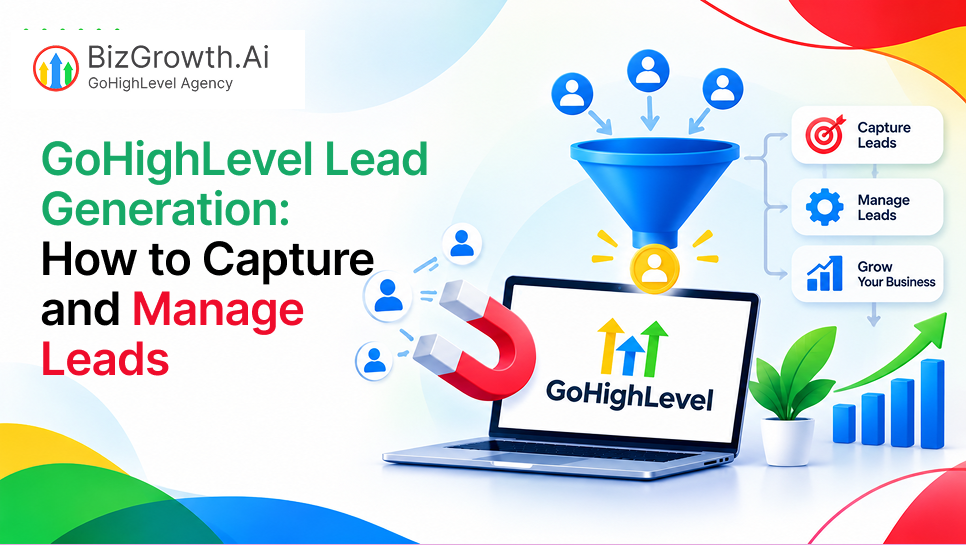
A connected system fixes this. When every lead source feeds into one place and every new contact gets a fast response, you stop losing people for avoidable reasons. That is the idea behind GoHighLevel lead generation. This guide covers how to capture leads, manage them, and automate and measure the process.
What Is GoHighLevel Lead Generation?
GoHighLevel lead generation is the practice of using the GoHighLevel platform to capture and follow up with potential customers from a single account. Instead of paying for a funnel builder, CRM, scheduling tool, and SMS and email services separately, you run everything in one dashboard. You will also see it called ghl lead generation by agencies and users.
Here is how it works: a visitor arrives through an ad, a search result, or a QR code, then fills out a form, books a call, or sends a chat message. GoHighLevel creates a contact record, tags the source, adds it to a pipeline, and sends a text or email within seconds. Your team replies from one inbox, and the full history stays on the contact record.
How to Capture Leads in GoHighLevel
Funnels and Landing Pages
The funnel builder lets you create a landing page with one clear offer, such as a free quote, an audit, or a consultation. Keep the page focused on a single action. Every extra link or menu item gives the visitor a reason to leave. Once the form is submitted, GoHighLevel can send the person a thank you page, a booking page, or a short video that sets expectations for what happens next.
Forms and Surveys
Forms collect basic details like name, phone number, and email. Surveys are better when you need to qualify someone before your team spends time on them. A roofing company, for example, can ask about the type of property and the urgency of repair. Those answers are stored in custom fields, so your sales team sees context before they pick up the phone. Ask only what you need. Every additional field lowers the completion rate.
Calendars and Bookings
If your goal is a scheduled call or appointment, put a calendar directly on the page. GoHighLevel calendars check availability, collect contact details, and send confirmations automatically. They can also be set up as round robin calendars, so bookings are shared across a team. Letting people book on the spot removes the back and forth that usually kills momentum.
Chat Widgets and Webchat
A chat widget on your website lets visitors ask a question without filling out a form. Many people prefer typing a short message to handing over their email address. Messages from the widget land in the same inbox as texts and emails, and the visitor becomes a contact record the moment they share their details. You can also set the widget to ask for a name and phone number first, so you can reply by text if they leave the page.
Missed Call Text Back
Phone calls remain a major source of leads for service businesses, and many go unanswered. The missed call text back feature sends an automatic text to anyone you could not pick up. The message can say you are with another customer and ask how you can help. In many cases the prospect replies, and the conversation continues by text instead of ending at voicemail.
Social Media and Paid Ads
Leads from Facebook, Instagram, Google Ads, and other sources can be connected to your account. A proper gohighlevel lead capture integration sends them into your CRM as they arrive, instead of letting them go cold on the ad platform. Lead source gohighlevel tracking also shows which campaigns produced real customers and which only produced clicks.
QR Codes and Trigger Links
Not every lead starts online. A QR code on a flyer, a business card, a truck, or a shop window can point to a form or booking page. Trigger links work inside texts and emails. When someone clicks one, GoHighLevel records the action and can start a workflow, tag the contact, or move them to a new pipeline stage. Both tools help you bring offline attention into the same system as your digital leads.
How to Manage Leads in GoHighLevel
Capturing leads is only half the job. Without a clear way to organize them, a growing list becomes noise. Good gohighlevel lead management starts with structure.
Tags, Custom Fields, and Smart Lists
Tags label contacts by source or status, such as “facebook lead” or “requested quote.” Custom fields store details like budget or property type. Smart Lists then filter by both, so you can pull up everyone who requested a quote last week and has not booked. Set naming rules early, since a messy tag system gets harder to fix as the list grows.
Pipelines and Opportunities
A pipeline shows where each potential customer stands. Stages might include New Lead, Contacted, Appointment Booked, Proposal Sent, and Won. Each opportunity is a card you can drag from one stage to the next or move automatically through a workflow. This gives owners and sales managers a quick view of what is moving and what is stuck.
One Inbox for Every Conversation
The conversations inbox collects SMS, email, Facebook messages, Instagram messages, webchat, and calls in a single thread per contact. Your team no longer needs to check five apps to see what a lead said. Internal notes and assignments also keep everyone clear on who is handling which conversation.
Segmentation and Prioritization
Not every lead is equally ready to buy. Someone who booked a call and answered every survey question deserves a faster response than someone who downloaded a guide. Use segmentation to separate hot leads from cold ones, then give your team a short list of people to contact first. Lead scoring through tags and custom fields is a simple way to do this without extra software.
Automating Lead Nurturing with GoHighLevel Workflows
Workflows are where the system starts to save real time. A workflow is a set of actions that run when a trigger happens, such as a form submission or a pipeline change.
Respond Instantly
The first workflow most businesses build is the instant reply. When a new lead comes in, a text and email go out within seconds, thanking them and explaining the next step. Speed matters because people usually contact several providers, and the first one to respond often gets the conversation.
Build Follow Up Sequences
Most leads do not reply to the first message. A follow up sequence sends texts and emails over several days, each with a different angle, such as answering a common question or sharing a short customer's story. The sequence stops when the lead replies or books, so nobody gets messages that no longer apply.
Move Leads Through the Journey
Workflows can move contacts between pipeline stages based on what they do. When a lead books a call, the opportunity moves to Appointment Booked. When they click a pricing link, you can add a tag and notify a salesperson. This keeps your pipeline accurate without anyone updating it by hand.
Reminders and Win Back Messages
No shows cost businesses money. Appointment reminders by text and email, sent a day before and a few hours before, reduce missed bookings. For leads who go quiet, a re-engagement message a few weeks later can bring some of them back. Keep it short and friendly, and offer an easy way to say yes or opt out.
After the Sale
Automation does not have to end when a lead becomes a customer. You can send a thank you message, request a review, share onboarding steps, or schedule a check in. Happy customers who leave reviews and refer friends bring in new leads at almost no cost.
Tracking and Optimizing Lead Generation Performance
You cannot improve what you do not measure. Reliable gohighlevel lead tracking shows you how many leads you get, where they come from, and what happens to them afterward.
Start with a few numbers. The lead to booking rate shows how many contacts schedule a call. The lead to customer rate shows how many become paying clients. Response time shows how quickly your team or workflows reach out after a new lead arrives. GoHighLevel reports and dashboards can display these by source, campaign, or pipeline stage.
Review campaign performance and pipeline movement on a regular schedule, weekly for most teams. If one ad brings plenty of leads but few bookings, the problem may be the audience or the landing page. If many leads stall at the same pipeline stage, your follow up may be weak at that point.
Testing helps here. Change one thing at a time, such as a headline, a form length, or the first line of a text message, and compare results over a few weeks. Small changes often make a noticeable difference. Watching where leads drop off, whether before the form, before the booking, or after the first call, tells you where to focus next.
Common GoHighLevel Lead Generation Mistakes to Avoid
The most common mistake is slow follow up. A lead that waits an hour for a reply is far less likely to respond than one who hears back in a minute. Automated replies solve most of this, but only if someone also checks the inbox.
Long forms are another problem. Asking for ten fields when you need three will cost you submissions. Collect the minimum, then gather more details on the call.
Poor contact organization causes trouble later. Without consistent tags and fields, Smart Lists return unreliable results, and reports become hard to trust.
Compliance is easy to overlook. If you send texts and emails, you need proper consent language on your forms, clear opt out options, and registration steps such as A2P 10DLC for SMS in the United States. Rules vary by country, so check the requirements where your customers live.
Finally, old workflows cause quiet damage. Offers change, prices change, and phone numbers change. If a sequence still mentions last year's promotion, it hurts trust. Review your automations a few times a year.
Best Practices for Generating and Managing Leads in GoHighLevel
Start small. One landing page, one form, one pipeline, and one follow up sequence is enough to begin. Once that works, add chat, missed call text back, and more sources.
Use snapshots to save time. A snapshot is a saved copy of your funnels, workflows, pipelines, and other settings that you can load into a new account. If you manage several clients or locations, this saves hours of repeated setup and keeps quality consistent.
Use more than one channel. Some people answer texts, others prefer email, and others pick up the phone. Combining them gives each lead more than one way to reply.
Last, review your system regularly. Look at your numbers, read a few real conversations, and fix whatever feels clumsy. A lead system works best when someone keeps an eye on it.
Conclusion: Build a Connected Lead Generation System with GoHighLevel
Capturing leads, organizing them, following up quickly, and measuring results all work better when they live in one place. GoHighLevel gives you the tools to do that, but the setup still takes planning and testing. Let experts handle it; contact us today for GoHighLevel Lead Generation and we will help you turn more of your leads into customers.
Frequently Asked Questions
What is GoHighLevel used for lead generation?
GoHighLevel is an all-in-one platform that combines a CRM, funnel builder, calendars, SMS, email, and automation. Businesses use it to capture leads from many sources and follow up with them from one account.
Can GoHighLevel track where my leads come from?
Yes. Each contact can carry a source, and you can use tags, UTM parameters, and reports to see which campaigns, pages, and channels bring in the most leads.
Do I need a developer to set up GoHighLevel workflows?
No. The workflow builder is visual, and most common automations, like instant replies and follow up sequences, can be set up without code.
Is it legal to text and email leads from GoHighLevel?
It is legal when you have proper consent and follow local rules. Add clear consent language to forms, include opt out options, and complete required SMS registration where it applies.
What is the difference between lead capture and lead management in GoHighLevel?
Lead capture focuses on collecting prospect information through forms, landing pages, calendars, and other channels. Lead management focuses on organizing those contacts, tracking their progress, assigning follow-up tasks, and maintaining communication until they become customers.